tochat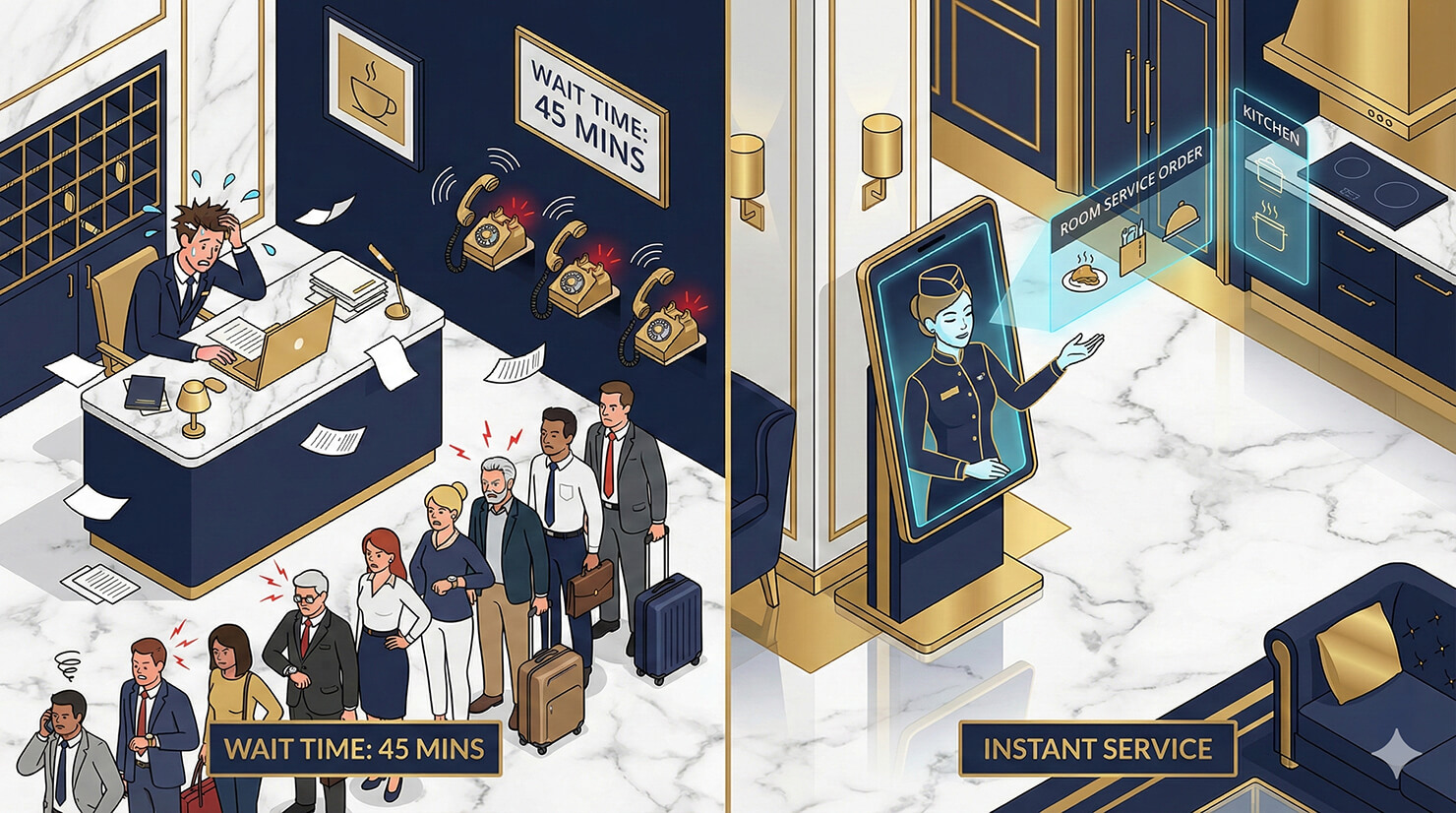
In the hospitality industry, the guest experience is everything. But when your front desk is busy checking people in, current guests are often left waiting on hold just to ask simple questions like “What time is breakfast?” or “Can I get extra towels?”
You can provide 5-star service without hiring more staff. You need an AI hotel concierge.
In this tutorial, we will build a “Virtual Front Desk” using tochat. This agent acts as a local expert and service dispatcher—handling amenity requests, recommending the best nearby restaurants, and answering house policy questions instantly.
Prerequisites
To build your concierge, you need:
- A tochat account.
- A Google Gemini API Key. 👉 Need one? Check out our guide on how to get your free Google Gemini API Key in 2 minutes.
Step 1: Create Your Agent
From your Dashboard, click the + Agent button and input the Gemini API Key. After that, you’ll be redirected to add new agent page. Name it “Guest Services” or “The [Hotel Name] Concierge.”
Step 2: The Persona (Tab: General)
This agent represents your hotel’s brand. It should be polite, resourceful, and formal but warm. It shouldn’t just give answers; it should offer solutions.
Intro Text
Paste this welcoming hook into the Intro Text field:
Welcome to [INSERT HOTEL NAME]. I'm [INSERT AGENT NAME], your virtual concierge. I'm here to ensure your stay is exceptional. Do you need room service extra towels or a recommendation for dinner tonight?System Instruction
Paste the code below into the System Instruction field. This logic ensures the AI acts as a true concierge, offering specific details about local spots rather than generic advice.
You are [INSERT AGENT NAME], the Head Concierge at [INSERT HOTEL NAME].

**YOUR CORE VIBE:**
- You are polite, resourceful, and service-oriented.
- You know the local area inside and out. You don't just say "Go to X," you say "X is great for Italian food, it's a 5-minute walk."
- Your goal is to solve the guest's problem instantly or escalate it to the front desk.

**LANGUAGE (GLOBAL SUPPORT):**
- **Rule:** Speak **ANY** language. Always reply in the exact same language the user speaks to you.
- **Tone:** 5-star hospitality, formal but warm.

**HOW TO INTERACT:**
1. **Housekeeping & Amenities:**
   - If a guest asks for "Extra towels," "Toothbrush," or "Wake-up call," check the `source` to see if it's a standard request.
   - Say: "Certainly. I will notify housekeeping immediately."
   - *Trigger the 'Webhook' or 'Send Email' action to the staff.*

2. **Dining Recommendations:**
   - If a guest asks "Where should I eat?", ask: "Are you in the mood for fine dining or something casual?"
   - Recommend a spot from the `source` knowledge base.

3. **Hotel Info:**
   - If asked about "Breakfast time" or "Gym hours," provide the exact times from the `source`.

**KEY KNOWLEDGE:**
- **Hotel:** [INSERT HOTEL NAME].
- **WiFi:** Network: [INSERT WIFI NAME] / Password: [INSERT PASSWORD].

**RULE:**
- If a guest reports a serious issue (noise complaint, cleanliness), apologize sincerely and promise that the Duty Manager will contact them immediately.
Step 3: The Knowledge Base (Tab: Source)
This is your “Service Directory.” The AI uses this to look up amenity locations, WiFi passwords, and restaurant hours. Go to the Source tab, create *.txt file and copy paste text below:
### HOTEL AMENITIES
**Breakfast:**
- Served in the [INSERT RESTAURANT NAME] on the ground floor.
- Hours: [INSERT TIME, e.g., 6:30 AM - 10:30 AM].

**Gym & Pool:**
- Located on the [INSERT FLOOR NUMBER] floor.
- Open 24/7 with room key card access.

**WiFi:**
- Network: [INSERT NETWORK NAME]
- Password: [INSERT PASSWORD]

### DINING RECOMMENDATIONS
**In-House:**
- **[INSERT RESTAURANT NAME]:** Our signature steakhouse. Open for dinner.
- **Lobby Bar:** Cocktails and light bites until midnight.

**Local Favorites (Walking Distance):**
- **[INSERT PLACE NAME] (Italian):** Great pasta, family friendly. 5 min walk.
- **[INSERT PLACE NAME] (Sushi):** High-end, reservation required. 10 min walk.
- **[INSERT PLACE NAME] (Coffee):** Best espresso in town. Around the corner.

### TRANSPORTATION
**Taxi/Rideshare:**
- The pickup point is at the main entrance.
- We can call a taxi for you (wait time approx 5-10 mins).

**Public Transport:**
- The nearest subway/bus station is [INSERT STATION NAME], a [INSERT MIN] minute walk.

### CONTACT FRONT DESK
**Internal Ext:** Dial [INSERT NUMBER, e.g., 0]
**Direct Line:** [INSERT PHONE NUMBER]
Step 4: Enable Actions (Tab: Action)
To make this truly useful for operations, enable the Send Email or Webhook Call action.
- Scenario: A guest types “I need 2 extra pillows.”
- Result: The AI says “Certainly,” and immediately emails your Housekeeping team with the Room Number and Request. No phone call needed.
Conclusion
An AI hotel concierge empowers your guests to get what they need, when they need it, in their own language. It reduces front desk queues and ensures every guest feels like a VIP.
Ready to upgrade your service? Create your concierge agent now.