tochat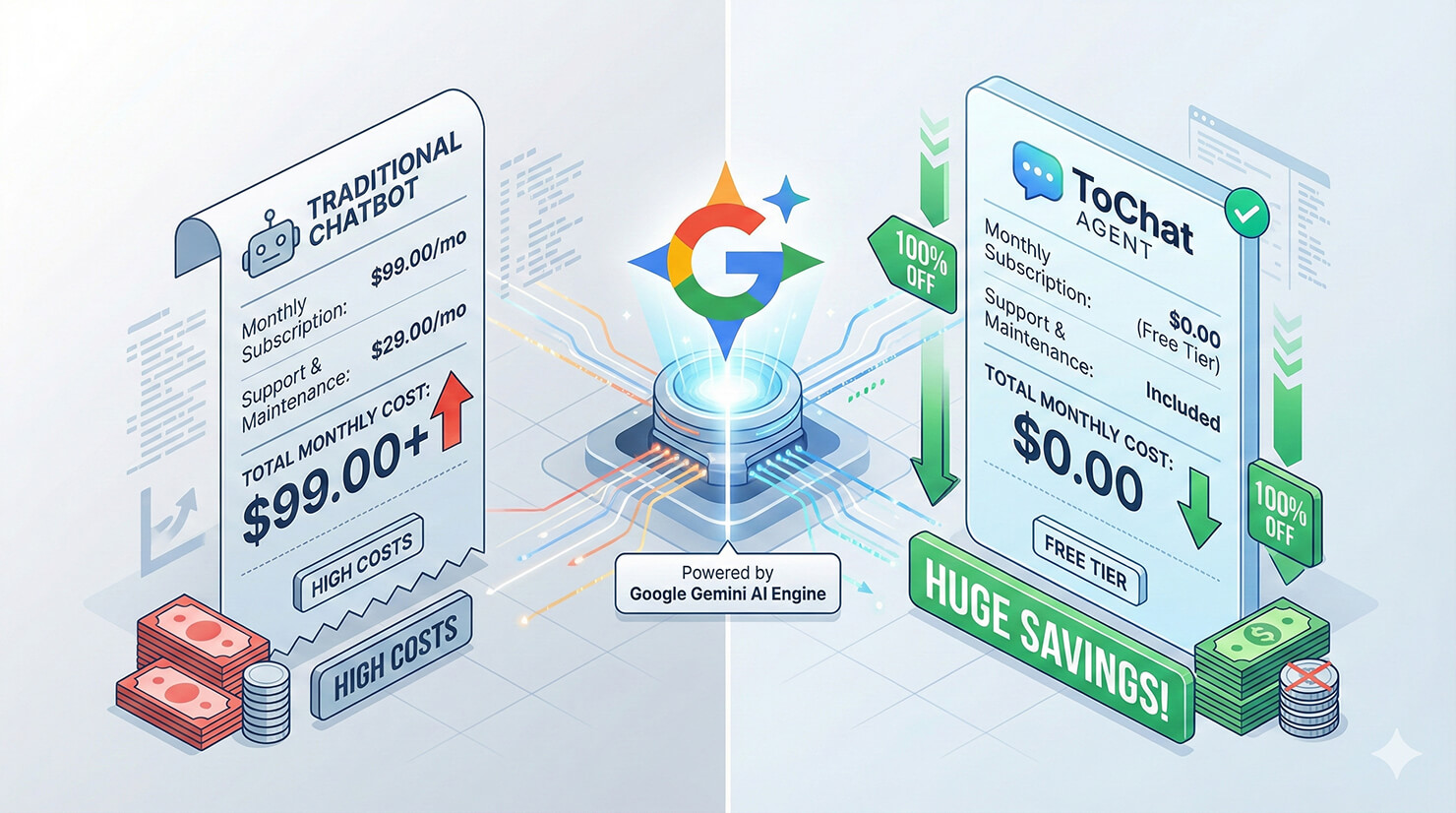
If you have looked at pricing for “Custom AI Chatbots” lately, you have probably seen the pattern: $49/month for 1,000 messages, $99/month for 2,000 messages. It gets expensive, fast.
But here is a secret the SaaS industry doesn’t want you to know: The actual AI models (like Google Gemini) are incredibly cheap—or even free—if you access them directly.
In this guide, we will show you how to build a Google Gemini agent using a “Bring Your Own Key” (BYOK) approach with tochat. This method bypasses the middlemen and lets you run a powerful AI workforce for a fraction of the cost.
The “BYOK” Pricing Advantage
Most chatbot platforms mark up the cost of AI tokens by 10x to 50x. With tochat, you bring your own API key, meaning you pay Google directly.
Gemini 2.5 Flash Pricing (Direct to Google)
- Free Tier: Google offers a generous free tier for Gemini 2.5 Flash. You get up to 15 requests per minute (RPM) and 1,500 requests per day for free. For many small businesses, this means your agent costs $0 forever.
- Pay-As-You-Go: If you scale up, the cost is just $0.35 per 1 million input tokens. To put that in perspective, 1 million tokens is roughly 700,000 words—or about 10 novels worth of text.
Step 1: Get Your Free API Key
To build your Google Gemini agent, you first need the engine.
- Go to Google AI Studio.
- Click “Get API Key”.
- Create a key in a new project.
(Need a detailed walkthrough? Check our guide: How to Get Your Free Gemini API Key).
Step 2: Connect to tochat
Raw API keys are useless on their own—you can’t paste them onto your website. tochat acts as the “Body” for your AI’s “Brain.”
- Log in to your tochat Dashboard.
- Click “Add Agent”.
- In the General Tab, paste your new API key.
- Select the model Gemini 2.5 Flash for the fastest, most cost-effective performance.
Step 3: Customize Your Agent’s Role
A generic bot is boring. A custom Google Gemini agent is a brand asset.
Use the Persona Builder in tochat to define its job. For example:
“You are ‘SupportBot,’ a friendly assistant for [Your Company]. You answer questions about shipping and returns using the information in our Knowledge Base. Keep answers under 3 sentences.”
Step 4: Train & Deploy
Finally, upload your PDF guides or website URL in the Source Tab. tochat will index this data so your agent knows your business inside and out.
Once ready, go to the Embed Tab, copy the code, and paste it onto your site. You now have a custom AI agent running on Google’s infrastructure, likely for free.
Conclusion
Building a Google Gemini agent doesn’t have to break the bank. By using the BYOK model on tochat, you get enterprise-grade AI power without the enterprise-grade markup.
Ready to start saving? Create your free agent on tochat today.